BMO Grand Opening Photo Booth Results

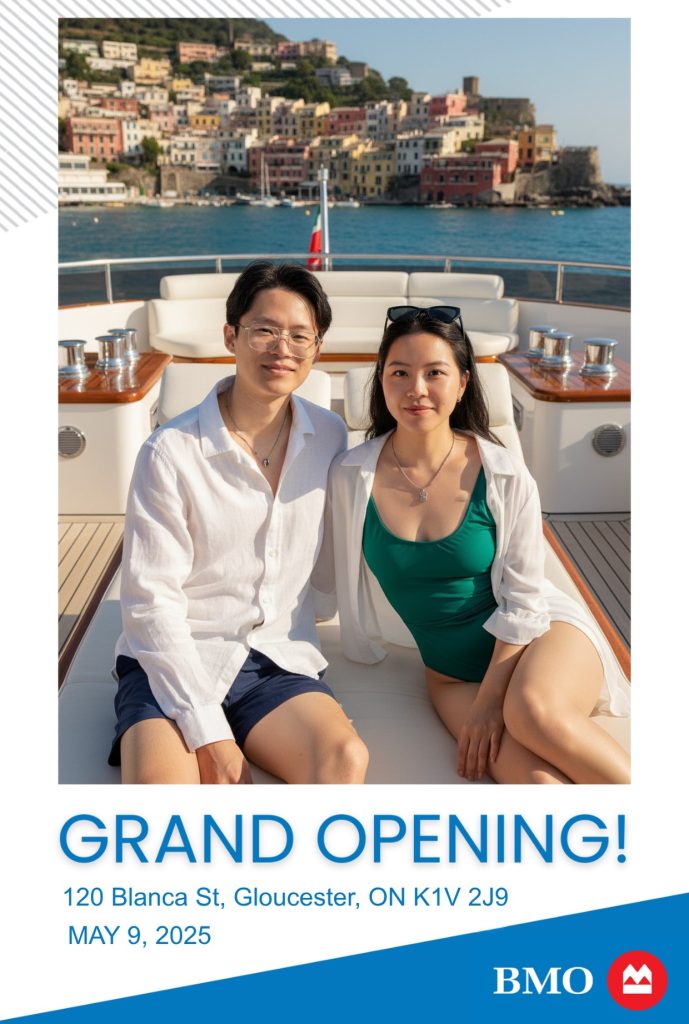
At BMO’s Armstrong Plaza branch opening in Riverside South, Ottawa, we produced themed AI portraits as part of the guest experience. The grand opening gallery recorded 100 booth sessions and 97 share actions. If you’re putting together a sponsor recap, look at how those shares broke down. There were 87 by text, eight by email and two through the web. Here’s how you can explain those numbers alongside a finished example from the activation.
Show the asset whose delivery you are measuring
Start the recap with a portrait from the event gallery. A finished image tells the reader what guests were able to receive. That is especially useful when an event recap goes to people who approved the activation but did not see it in person. The related BMO grand opening photo booth case study looks at the creative choices guests could try. This page looks at the gallery activity those choices produced and how a planner can explain it.
Give each number a label the sponsor can use
A session counts one use of the booth. A single session can include more than one person. A share action counts a delivery or sharing action and can occur multiple times from the same session. Put the two numbers on separate lines in your recap. The report does not link the number of shares to individual sessions, so dividing 97 by 100 would not give you a verified percentage of sessions that shared.
The channel split adds context that a single total would leave out. Text accounted for about 90% of recorded share actions. At this activation, a recap can point to text as the most-used recorded delivery channel. Keep email shares labelled as shares. They show that eight email delivery actions were logged, which is different from collecting eight marketing opt-ins. Use the source report’s definitions when a sponsor wants to compare activity across several locations.
Use the findings when you brief the next opening
A campaign team can use this example to decide where to spend time during creative review. Test a finished portrait as it will appear on a phone, including the first screen people see when they open the delivery link. Check that the main subject is easy to see and that the campaign name can be read without zooming. If guests will receive a message from the activation, ask the team to show what that message looks like before the day of the event.
Bring the recap owner into the planning meeting. Agree on which photo, delivery figures and event details the owner should have after the opening. If your retail team is also measuring appointments, sales or subscriptions, define those measures with the people who own that data. The booth report can sit alongside those figures as a record of participation and delivery. It cannot show which guest later took another action unless the campaign has a separate way to measure that connection.
Brief a measurable activation in Ottawa or Gatineau
For a branch opening with several partners, decide who will approve the output and who will receive the recap. Have the same person check the labels and period covered before the figures appear in a slide deck. Include the event date and a sample portrait so a future reader can tell which opening the report refers to. Start with a useful activity measure and add only the evidence you’ll be able to verify afterward.
Planning a branded photo booth for an Ottawa or Gatineau opening? Tell us what you want guests to receive and what your team needs to report to the sponsor.
Plan your event photo booth
Share your event date, venue and what guests should take home.